What a Data Center Actually Has to Prove
A data center is judged after the fact. An auditor, an insurer or a colocation tenant does not watch the night shift; they read the record afterwards. If that record is a handwritten sheet, it proves very little.
How Patrol Verification Works in a Server Hall
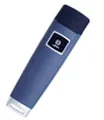
The system turns a walking route into verifiable evidence. A guard carries a reader and touches checkpoint buttons placed at the points that matter; each touch is stored with its time and location.
| Paper sign-in sheet | Guard tour system | |
|---|---|---|
| Record integrity | Easy to alter or fill in later | Time-stamped, cannot be back-dated |
| Coverage | No proof each hall was visited | Every checkpoint logged |
| Audit preparation | Rebuild from memory | Export in seconds |
| Tenant transparency | Report requested after the fact | On-demand per-client report |
| Exception handling | Noticed only when asked | Missed points flagged automatically |
Turning Rounds Into Audit Evidence
Physical security controls in SOC 2, ISO 27001 and PCI DSS frameworks expect evidence that checks were performed. A verifiable patrol log answers that expectation without a scramble before the audit.
- Export a dated patrol record for any review window without retyping logs.
- Log door and alarm observations with event buttons at the exact time and place.
- Retain consistent naming across halls so multi-site reports read cleanly.
- Show a clear chain of rounds rather than a single end-of-shift signature.
Colocation: Proving Each Tenant Area Was Covered
A colocation operator answers to many tenants at once. Each one wants to know its own cage, aisle and meet-me room were checked, without seeing data from other tenants.
- Create one master account for the facility.
- Add each tenant area as its own zone with a clear name.
- Assign routes per zone; the same guard can cover several.
- Give each tenant a read-only view of its own zone only.
- Run one consolidated operations report for your managers.
Where to Place Checkpoint Buttons
Coverage should follow the systems that keep the hall running. Tag the points a failure would pass through first.
| Zone | Why it matters |
|---|---|
| UPS and battery rooms | Power issues escalate fast; a skipped check hides early warning signs |
| Cooling plant | A missed temperature or leak check risks thermal shutdown |
| Generator yard | Fuel, access and gate status matter most before an outage |
| Hall aisle ends | Long rows are easy to skip; logging each end proves the row was walked |
| Perimeter doors | Tailgating and propped doors are the top physical access risk |
| Loading and staging | Equipment moves in and out here; a missed check hides unauthorised removal |
Choosing Readers for a Night-Shift Team
Patrols run at night, in plant rooms and outdoors at the generator yard. The reader has to survive the whole shift without charging or a signal.
- Offline storage means no dependency on hall network coverage.
- Long battery life avoids mid-shift charging on a 12-hour round.
- A shock and water rating suits outdoor yard and plant room rounds.
- Contact iButton readers suit radio-restricted zones where wireless scanning is not permitted.
Getting Started in One Week
- Walk the facility and list the zones that must be proven covered.
- Install checkpoint buttons at power, cooling, generator, aisle ends and perimeter doors.
- Issue readers to guards and train them in one short session.
- Set each shift schedule and the exception rules.
- Review the weekly exception report with the operations lead.

